Who needs TCP 1194 anyway?
2 Services 1 Port: Using HAProxy on pfSense to run OpenVPN and HTTPS on 1 port
Psst. If you wanna skip to the good bit and get it up and running click here
Why Do This?
If you're like me, you like to make things more complicated than they need to be, but in this case running OpenVPN Server and HTTPS on the same port on your internet interface has its perks:
- Running OpenVPN over 443/TCP instead of the traditional ports - This can help bypass layer 4 firewalls that are attempting (poorly) to block VPN connections by blocking egress to 1194.
- Simplifies CloudFlare setup - Like most people, I use CloudFlare proxied DNS between my public domains names (jacobgoddard.com) and my home IP with mTLS between the two to prevent direct access to services. Being able to leave your web applications running on port 443 without moving them for OpenVPN massively simplifies the CloudFlare side of things.
- I paid for the whole firewall so I'm gonna use the whole firewall! - You've gone to the effort of setting up a pfSense firewall that can easily run HAProxy as a plugin, you may as well use it.
How Does This Work?
For this to work, we're using HAProxy's req.ssl_hello_type value. This value will equal 1 if the TCP packet we've received at the START (This is important) of a TCP conversation is an ClientHello message.
HTTPS requests start with a very predictable TLS ClientHello sequence of bytes unlike OpenVPN requests which, even if using TLS, start with a custom binary header defining things like OPCODE and Flags. In OpenVPN, the TLS handshake is encapsulated inside OpenVPN control packets which are sent after the initial OpenVPN header, so HAProxy doesn't say that the TCP stream started with a ClientHello unlike it does with HTTPS. (Hence, req.ssl_hello_type not being equal to 1 if the traffic is OpenVPN.)
TLDR: HAProxy only looks at Byte 0 to determine if it's a TLS Client Hello but OpenVPN does not do it's TLS talking until later on.
We utilise this logic to perform a "if not OpenVPN" decision if hello_type equals 1.
Instructions
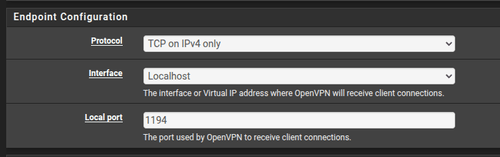
- Configure OpenVPN to listen on localhost over TCP. (This means that only applications running on pfSense itself can reach it)
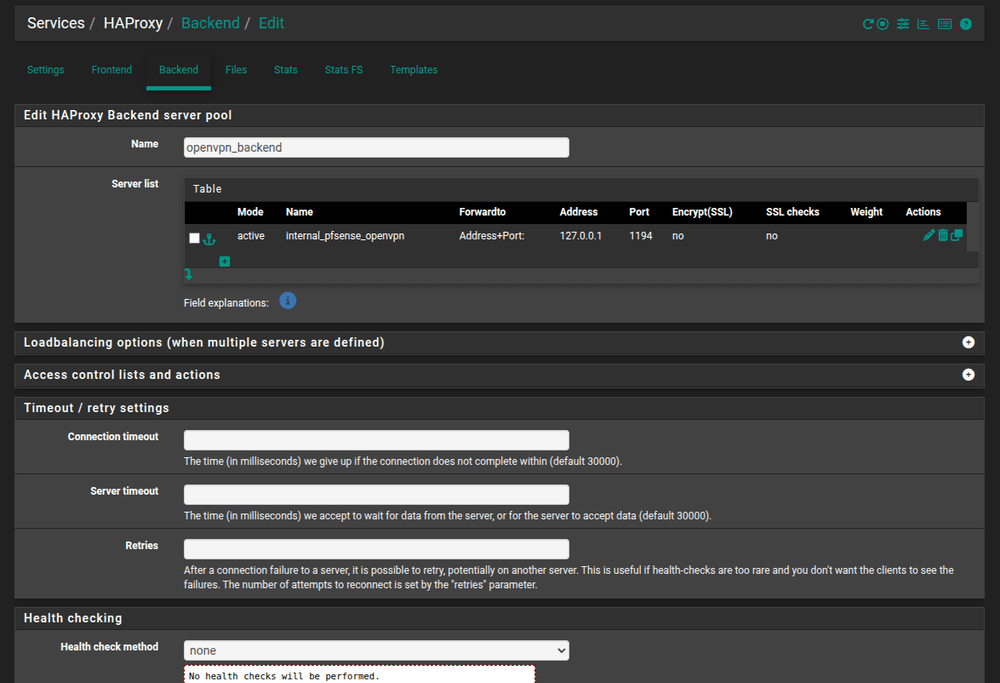
2. Define our 2 backends, https_backend and openvpn_backend
- Define
openvpn_backendfirst:
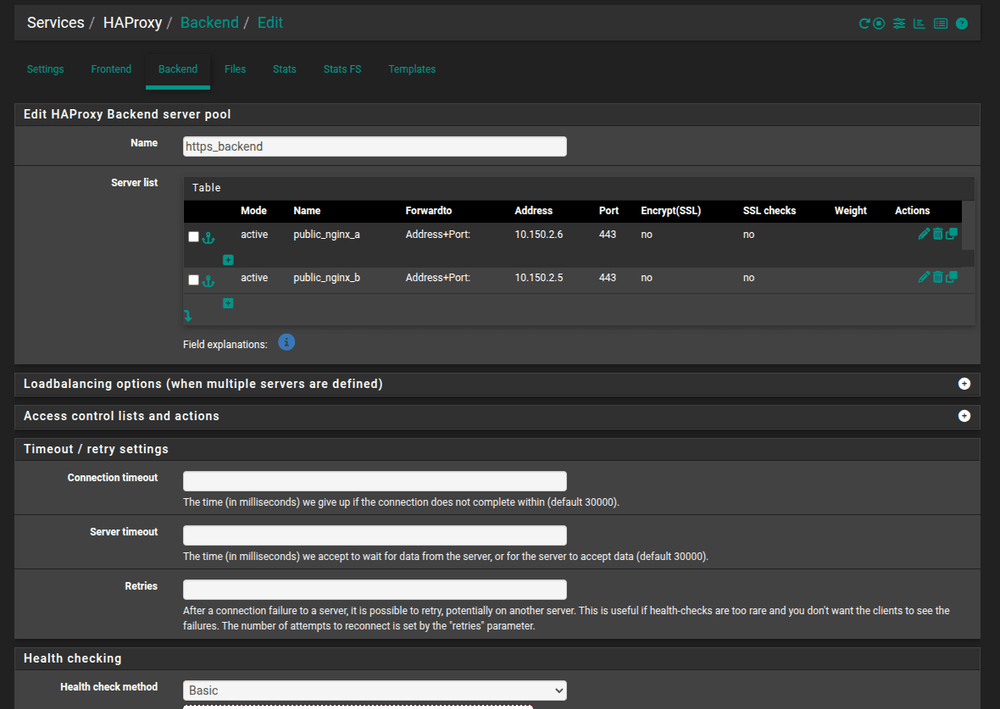
- Then
https_backend(in my case I've used 2 HTTPS servers for HA with a basic healthcheck between them, this is optional):
3. Now that we've made our backends, create a Frontend for our shared443 service that will listen on your internet facing address(es)
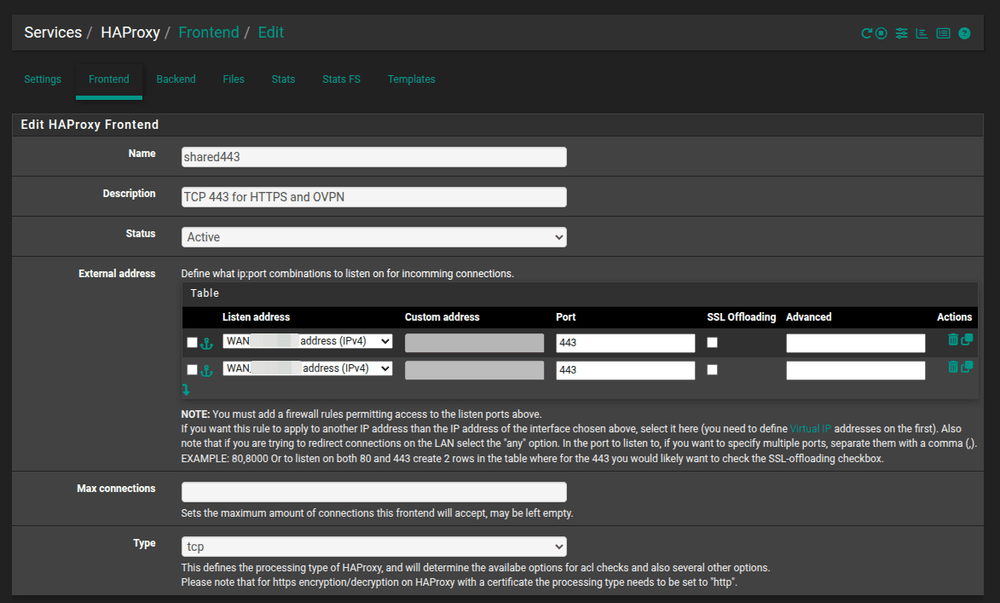
Note: In my case I have 2 internet addresses, hence having 2 rows in my address section.
4. Next, configure our ACL, Actions & Default Backend for shared443 as shown below:
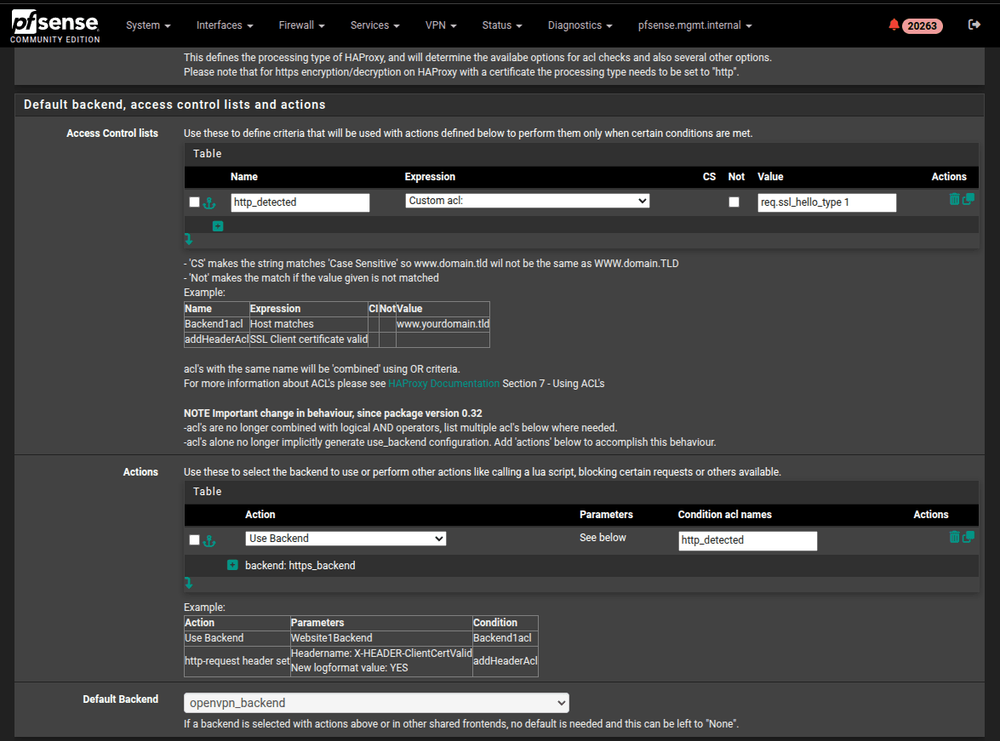
- In Access Control Lists: We setup http_detected which is a custom ACL with a value of
req.ssl_hello_type 1. This allows us to determine if the incoming TCP traffic has been started with a ClientHello (Which we will never see with OpenVPN) - In Actions: We setup a rule that points traffic to
https_backendif ourhttps_detectedcondition is met - In Default Backend: Divert all traffic that doesn't meet our
https_detectedcondition to OpenVPN.
5. Finally, configure the following Advanced settings for the shared443 frontend:
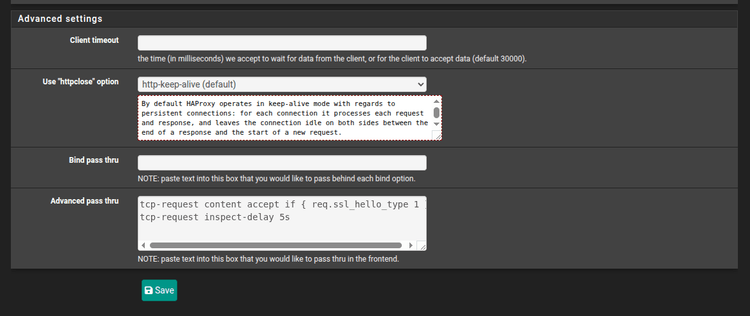
Advanced pass thru:
tcp-request content accept if { req.ssl_hello_type 1 }
tcp-request inspect-delay 5s
Conclusion
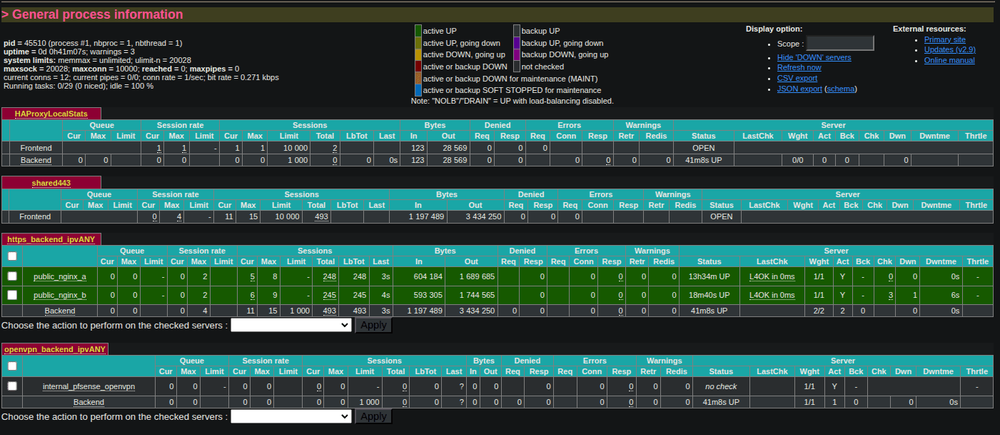
Hopefully after hitting save and double-checking that your config is correct. You should be able to reach your HTTPS service on https://your.ip.address and you should also be able to reach your VPN on 443/TCP.
Important Note: Your OpenVPN Server will provide client configs that point to localhost:1194, make sure you change this manually to